
Content Refresh Strategy: How to Update Old Content for SEO and AI Visibility
Learn how to systematically update outdated content. Step-by-step guide to identifying, prioritizing, and refreshing old articles for better rankings.

Richard Roth
Founder & SEO Strategist
May 26, 2026
13 min read
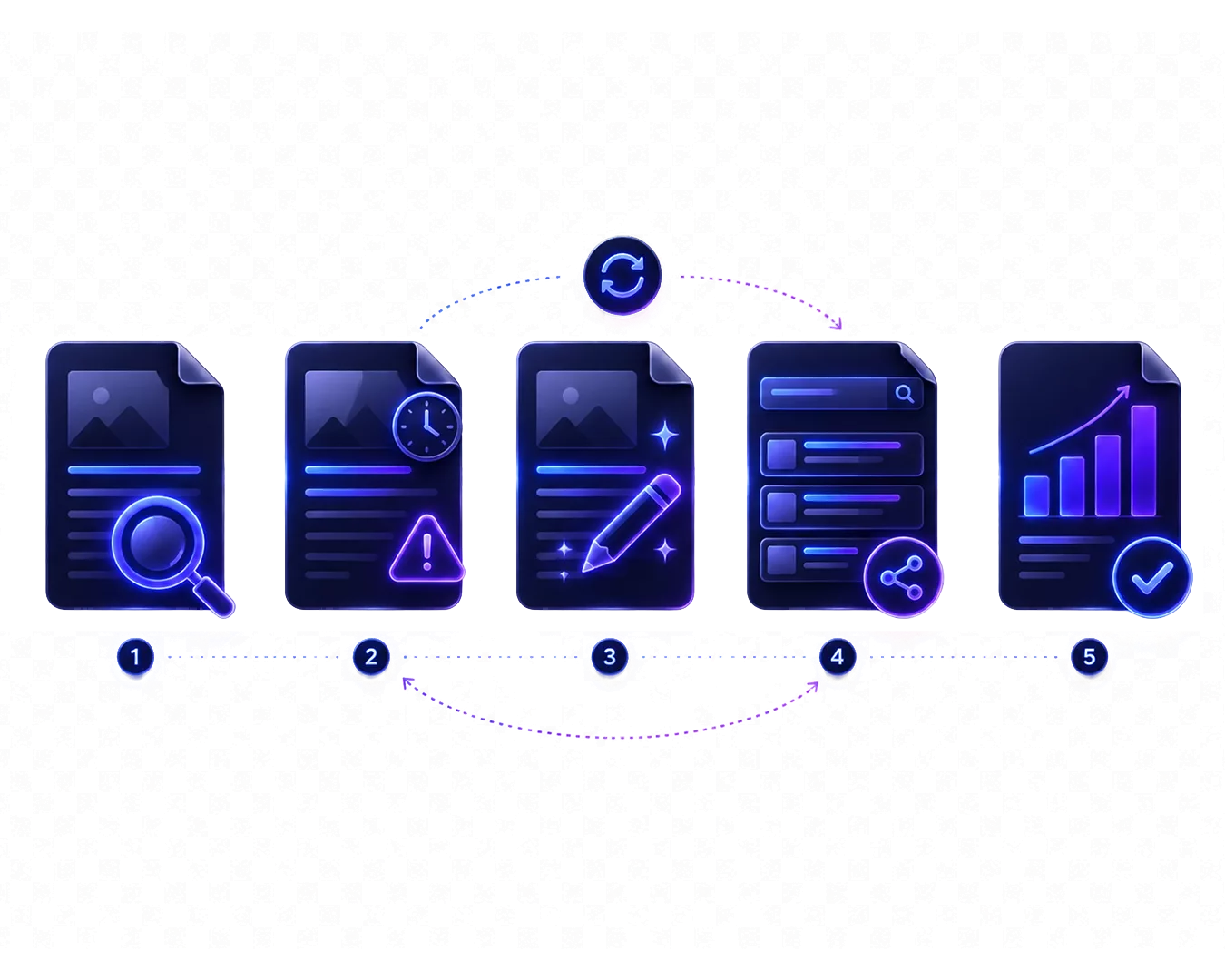
“Stop constantly producing new content. Start updating your existing content.” This advice circulates in the SEO community, and it’s good advice. Because an updated article with existing backlinks and authority often has more potential than a completely new article starting from zero.
 Das Wichtigste in Kürze
 - • Content Refresh preserves existing authority and backlinks instead of starting from scratch
- • Automatically detecting outdated information saves hours of manual review
- • Update high-impact pages first to maximize ROI
- • Systematic process instead of sporadic updates for sustainable results
What is a Content Refresh?
A content refresh is the systematic updating of existing content to make it relevant, accurate, and competitive again. It’s not about rewriting everything. It’s about specifically improving the elements that are outdated or no longer working.
Refresh vs. Rewrite vs. Retire
Not every old article needs the same treatment. There are three basic options:
Refresh Minor to medium adjustments: update statistics, add new sections, replace outdated information, renew external links. The basic structure remains intact.
Rewrite When the content is fundamentally outdated or the topic has changed significantly. The URL stays, but the content is created from scratch.
Retire (Delete or Merge) When an article no longer brings traffic, is no longer relevant, or overlaps with other content. Either delete (with 301 redirect) or merge with another article.
Most articles fall into the “Refresh” category. A complete rewrite is rarely necessary and often not efficient.
Why Refresh Instead of Rewriting?
An existing article has advantages that a new article doesn’t have:
- Existing backlinks are preserved
- Domain authority for this URL is already built
- Indexing has already occurred
- Historical data in Search Console shows performance
A HubSpot experiment showed: Updating old blog posts led to a traffic increase of up to 106% for these articles. New content, on the other hand, starts at zero and has to prove itself first.

Before writing a new article on a topic, check if you already have an older article that could be updated. A refresh is often faster and more effective than starting from scratch.
Why Does Content Refresh Work So Well?
Content refresh works because you preserve existing authority and backlinks while simultaneously activating Google’s freshness signals. This is more efficient than starting from zero.
The logic behind this is based on several factors that affect both SEO and the new AI visibility:
Google Prefers Updated Content
Google’s freshness system recognizes when content is updated. An article that is regularly maintained signals to Google: “This content is actively maintained and is probably current.” We’ve covered what Content Freshness means and why it matters in a separate article.
Important: Google recognizes whether real content changes have been made. Just changing the date without adjusting the content doesn’t work and can even be considered manipulation.
AI Systems Cite Current Sources
ChatGPT, Perplexity, and Google’s AI Overviews analyze sources for currency. If your article contains statistics from 2021 while competitors have data from 2025, the AI will prefer the more current content.
This affects not just the publication date, but also:
- Currency of cited studies and statistics
- Functionality of external links
- Relevance of discussed tools and methods
Existing Authority is Amplified
An updated article combines the best of both worlds: It has the authority and backlinks of the original plus the currency of a new article. This combination is hard to beat.
Step 1: Identify Content to Update
The biggest challenge with content refresh isn’t the updating itself. It’s figuring out which articles need to be updated and what priority they should have. For a deep dive into detection methods, see our guide on how to find outdated content on your website.
Criteria for Refresh Candidates
Traffic Loss (Content Decay): According to Search Engine Land, Articles that are continuously losing traffic despite no technical issues. Google Search Console shows you these trends over the last 6-12 months.
Outdated Information: Statistics with old years, recommendations for discontinued products, links to pages that no longer exist. These articles undermine your credibility and hurt your SEO.
Near-Winners (Position 4-20): Articles ranking on page 1 or 2 but not in the top 3. With a refresh, you could push them up. These articles have proven potential.
High Impressions, Low CTR: Articles that get many impressions in search results but few clicks. Often this is due to an outdated title or a meta description that no longer appeals.
Tools for Identification
| Tool | Function | Price | Best for |
|---|---|---|---|
| Google Search Console | Traffic trends, ranking positions, click rates | Free | Detecting content decay |
| Ahrefs / Semrush | Keyword tracking, competitor analysis, backlink data | From ~$99/month | Deeper SEO analysis |
| Screaming Frog | Technical audit, broken links, metadata | Free up to 500 URLs | Finding technical issues |
| CiteRanger | Automatically detect outdated facts, statistics, external sources | Freemium | Checking content currency |
Manual audits are time-consuming – whether you have 15 or 150 articles. With CiteRanger, you can scan your entire blog in minutes and get a prioritized list with specific refresh suggestions – try it now with 15 Free Credits.
Step 2: Analyze What Needs to Be Updated
You’ve identified your refresh candidates. Now it’s about specifically understanding what needs to be improved in each article.
Checklist for Analysis
Outdated Statistics and Numbers
- Search for years in the text (2020, 2021, 2022…)
- Check if cited studies are still the most current
- Verify if market data is still accurate
Broken or Dead External Links
- Use a link checker like Screaming Frog
- Manually test each external link for important articles
- Check if linked content is still relevant (a working link to outdated content is also a problem)
Missing Current Information
- What has changed in the industry since publication?
- Are there new tools, methods, or best practices?
- Have relevant products been updated or discontinued?
Competitor Analysis
- What do the top 3 ranking pages have that you don’t?
- What topics do they cover that you’re missing?
- Do they have more current sources?
Prioritization by Effort and Impact
Not every error found has the same priority:
High Impact, Low Effort: Update statistics, fix broken links, add new sources. These are quick wins.
High Impact, High Effort: Write new sections, revise structure, make deep content changes. Worth it for high-traffic pages.
Low Impact: Cosmetic changes, style improvements without added content value. Low priority.
Step 3: Prioritize Your Refresh Queue
You can’t update everything at once. Clear prioritization helps deploy your resources where they’ll have the greatest impact.
The High-Impact vs. Quick-Wins Matrix
Sort your refresh candidates into four categories:
Quadrant 1: High Impact + Quick Win High traffic, small changes needed. These articles first. Example: A top-10 article just needs updated statistics.
Quadrant 2: High Impact + High Effort High traffic, larger revision needed. Schedule these articles and reserve time. Example: A pillar content piece needs new sections.
Quadrant 3: Low Impact + Quick Win Low traffic, but quick to fix. Handle alongside other work. Example: A niche article with a broken link.
Quadrant 4: Low Impact + High Effort Low traffic, lots of work. Critically evaluate whether the effort is worth it. Sometimes “Retire” is the better option.
Evaluate Traffic Potential
An article with declining traffic from 5,000 to 2,000 visitors/month has more refresh potential than an article that has always only had 100 visitors. The first has proven potential that you can restore.
Consider Business Relevance
Not all traffic is equally valuable:
- Articles that directly lead to conversions have higher priority
- Content for your core keywords is more important than fringe topics
- Pages that are important in the customer journey deserve more attention
Create a simple table with your refresh candidates and rate each by: current traffic, traffic trend, business relevance, and estimated effort. This way you’ll quickly see where to start.
Step 4: Execute the Refresh
Now it gets practical. Here are the concrete measures that typically arise during a content refresh.
Update Statistics and Facts
- Replace old numbers with current data
- Search for newer studies on the same topic
- Ensure you cite primary sources, not secondary sources
- Update years in the text (“In 2023” → “In 2025”)
Renew and Add External Sources
- Replace broken links with working alternatives
- Update links to outdated sources
- Add new, authoritative sources
- Check if linked studies are still the most current
Improve Structure and Readability
- Add missing subheadings
- Break up long paragraphs
- Add lists for better scannability
- Update the hook and introduction
Add New Sections
- Add topics that have become important since publication
- Add an AI-relevant section (AEO, GEO, AI Overviews)
- Answer new questions appearing in “People Also Ask”
- Update product recommendations or tool comparisons
Optimize Internal Linking
- Link to newer, relevant articles
- Check if internal links still work
- Ensure the article is linked from other important pages
Update Last-Updated Date
If you make significant changes, update the “Last Modified” date in your metadata. For minor changes (just fixed one link), this isn’t necessary.
Important: Changing the date without real content changes is counterproductive. Google detects this.
Step 5: Monitor and Iterate
A content refresh is not a one-time project. It’s a continuous process.
Track Performance After Refresh
- Observe rankings and traffic over 2-4 weeks
- Compare with performance before the refresh
- Use Search Console for detailed data
How Long Until Results Are Visible?
Typically you’ll see initial effects after 1-2 weeks. Full effects can take 4-8 weeks. For larger changes, sometimes longer.
If no improvement is visible after 8 weeks, analyze:
- Was the change significant enough?
- Have competitors also updated?
- Are there other factors (technical problems, new competition)?
When is a Re-Refresh Needed?
Set reminders for regular re-checks:
- Articles with statistics: every 3-6 months
- Tech and tool content: every 6 months
- Evergreen content: annually
Establish a Continuous Process
The most effective approach is a regular, systematic refresh cycle:
- Monthly: Check top-20 pages for obvious problems
- Quarterly: Comprehensive audit of all important articles
- As needed: React to significant ranking losses
What Mistakes Should You Avoid with Content Refresh?
The most common mistakes are: only changing the date without real updates, changing too much at once, no prioritization by impact, and changing URLs (which destroys backlinks).
These mistakes can make your refresh ineffective or even harmful:
Only Changing the Date
Google isn’t stupid. If you change the “Last Updated” date without making real content changes, Google detects this. In the worst case, it’s considered manipulation.
Changing Too Much at Once
With very extensive changes, Google may have difficulty recognizing the article. This can lead to temporary ranking losses. For pillar content, gradual updates are often safer.
No Prioritization
Treating all articles equally wastes resources. An article with 10,000 monthly visitors deserves more attention than one with 50.
Refresh Without Strategy
Sporadic updates without a system lead to inconsistent results. A systematic approach with clear criteria and schedules is more effective.
Changing Old URLs
Changing the URL means losing all existing backlinks and authority. If you really need to change the URL, set a 301 redirect. But in most cases: keep the URL.
How Often Should You Refresh Content?
The refresh frequency depends on the content type: tech content every 3-6 months, marketing every 6-12 months, legal topics when laws change, evergreen annually.
In addition to fixed intervals, you should react to specific triggers:
Industry-Dependent Guidelines
- Tech and Software: Every 3-6 months (rapid development)
- Marketing and SEO: Every 6-12 months
- Legal Topics: After every relevant law change
- Evergreen Topics: Annual review
Trigger-Based Instead of Time-Based
Instead of fixed time intervals, react to specific triggers:
- Significant traffic decline
- New important studies or data available
- Product or service updates
- Changes at competitors
- New search queries appearing (People Also Ask)
- QDF events – when Google suddenly favors fresh content for your keywords
Use Automatic Alerts
Instead of regularly checking manually, get automatically notified: CiteRanger detects outdated statistics, broken links, and obsolete information in your content – and tells you exactly what needs to be updated. Try it free with 15 Free Credits.
What Tools Help with Content Refresh?
The most important tools are Google Search Console (traffic analysis), Ahrefs/Semrush (keyword tracking), Screaming Frog (technical audit), and CiteRanger (automatic detection of outdated facts).
| Phase | Tool | What it does |
|---|---|---|
| Identify | Google Search Console | Shows traffic declines and ranking losses |
| Identify | Ahrefs / Semrush | Keyword tracking and competitor comparison |
| Analyze | Screaming Frog | Finds broken links and technical issues |
| Analyze | CiteRanger | Detects outdated facts, statistics, and sources |
| Monitor | Google Search Console | Tracks performance after refresh |
| Monitor | CiteRanger | Notifies of new currency issues |
Conclusion
Content refresh is not an optional extra task. In a world where both Google and AI systems reward currency, it’s a core element of every content strategy.
The systematic approach: identify, prioritize, update, monitor. And then start again. The larger your content library becomes, the more important automation becomes to keep track.
Start today with your top-10 traffic pages. Find the obvious problems. Fix them. Measure the results. Then expand the process to all your content.
 Häufig gestellte Fragen