Content Decay: 7 Signs Your Articles Are Losing Rankings
Learn to recognize the warning signs of content decay before your rankings collapse. Practical tips to identify and fix declining content.

Richard Roth
Founder & SEO Strategist
May 28, 2026
11 min read
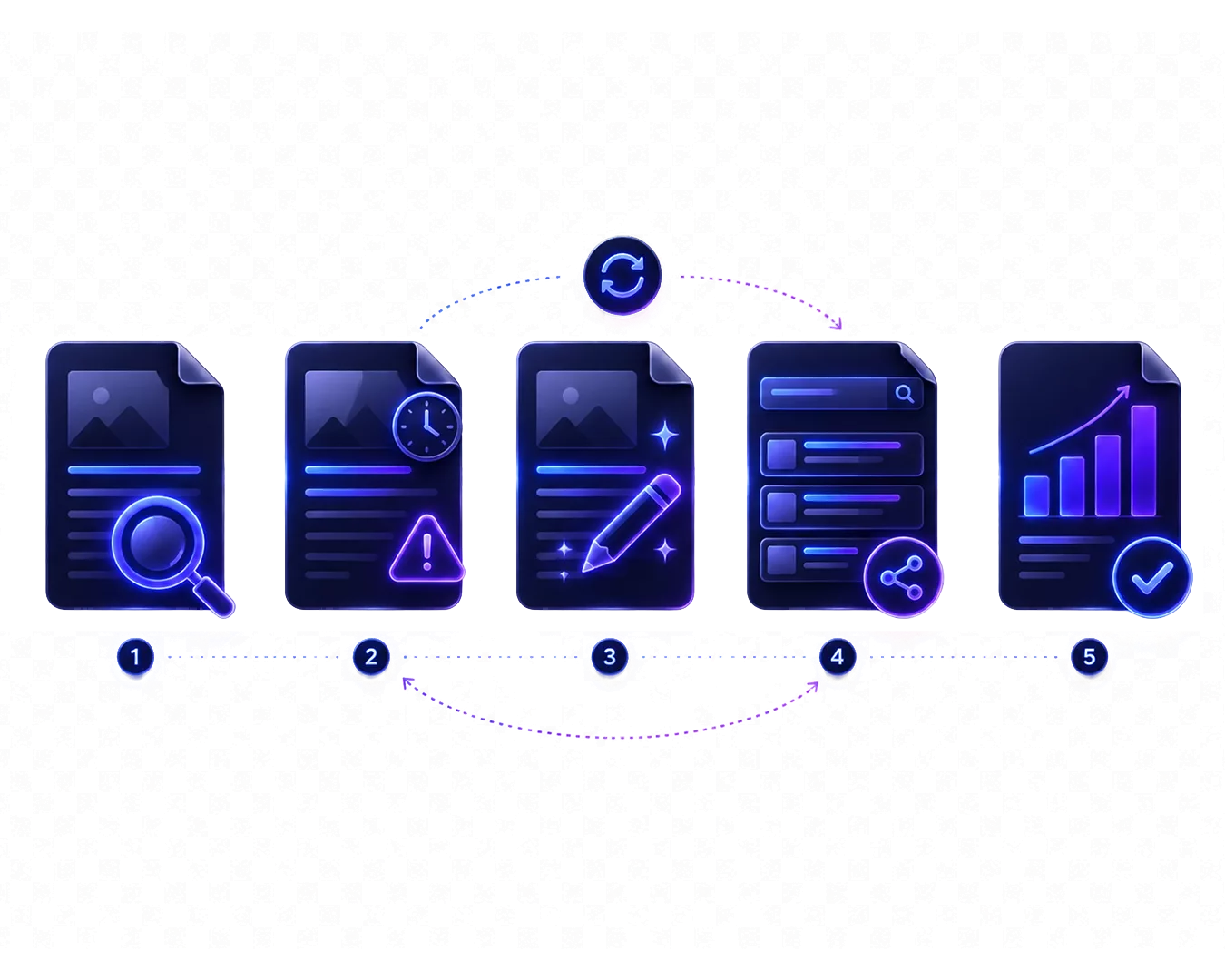
Your best article from 2022 was once a traffic powerhouse. Now it’s slowly bleeding visitors, dropping positions, and you’re not sure why. Welcome to content decay: the silent killer of SEO performance.
 Das Wichtigste in Kürze
 - • Content decay is gradual: rankings drop slowly over months, not overnight
- • Traffic decline is the clearest signal: compare year-over-year performance
- • Outdated information accelerates decay: old statistics and broken links compound the problem
- • Early detection saves effort: refreshing early is easier than recovering from page 2
What Is Content Decay and Why Should You Care?
Content decay is the gradual decline in a page’s search rankings and organic traffic over time. It’s not a sudden drop from a Google penalty or algorithm update. Instead, it’s a slow erosion that happens as your content ages, competitors improve, and user expectations evolve.
According to an analysis by Ahrefs, the average top-ranking page loses about 5-10% of its traffic annually if left untouched. For competitive keywords, this decay can be even faster.
Content decay happens because:
- Your information becomes outdated: statistics age, tools change, best practices evolve
- Competitors update their content: they add what you’re missing
- Search intent shifts: what users want from a query changes over time
- Fresher signals win: Google’s freshness systems favor updated content
The insidious part? You often don’t notice until significant damage is done. A page dropping from position 3 to position 5 might lose 40% of its clicks. But you might not catch it until it’s on page 2.

Content decay affects even your best-performing pages. High-traffic pages often decay faster because they’re in more competitive spaces where rivals are constantly updating their content.
What Are the 7 Warning Signs of Content Decay?
The key warning signs of content decay are: gradual traffic decline, dropping keyword positions, declining click-through rate, outdated information, increased bounce rate, competitor movement, and search intent mismatch. Let’s examine each one.
1. Gradual Traffic Decline
The most obvious signal appears in your analytics. In Google Search Console or your analytics tool:
- Compare the last 3 months to the same period last year
- Look for pages with more than 15% traffic decline
- Filter out seasonal fluctuations
A slow, consistent downward trend is the hallmark of content decay. According to SEMrush’s content marketing report, 65% of all web pages experience measurable traffic decline within 18 months of publication.
Don’t panic over short-term fluctuations. Content decay is a sustained trend over months, not a bad week. Look at rolling 90-day averages for a clearer picture.
2. Dropping Keyword Positions
Before traffic drops, rankings usually slip:
- Track your key positions weekly or monthly
- Note movements from page 1 to page 2 (the traffic cliff)
- Watch for gradual position erosion (3 → 5 → 7)
A page moving from position 4 to position 8 might not seem dramatic. But it typically represents a 50-70% reduction in clicks.
3. Declining Click-Through Rate (CTR)
Sometimes you maintain rankings but CTR drops:
- Your title or description seems outdated (“2022 Guide”)
- Competitors have more compelling snippets
- Featured snippets or AI answers are taking clicks
- SERP layout changes reduced visibility
Check Search Console for impressions vs clicks over time. If impressions are stable but clicks are falling, your CTR is decaying.
4. Outdated Information on the Page
Read your content with fresh eyes:
- Year references: “In 2021…” “According to 2020 data…”
- Old statistics: Market sizes, adoption rates, prices
- Defunct products: Tools that no longer exist or changed significantly
- Outdated screenshots: UI that no longer matches reality
- Dead links: External sources that return 404s
Any of these signals to both users and search engines that your content isn’t maintained. According to Orbit Media’s annual blogging survey, the average blog post contains 3.5 external links. Approximately 6% of links break each year.
5. Increased Bounce Rate
Users landing on outdated content leave quickly:
- Compare bounce rate to historical averages
- Look for increases over 6-12 months
- Check if time-on-page is also declining
When users find old information and immediately return to Google (pogo-sticking), it sends negative signals about your content’s usefulness.
6. Competitor Movement
Your rankings don’t exist in a vacuum:
- Check who’s now ranking above you
- Analyze their content: is it newer? More comprehensive?
- Note when they last updated (visible in SERPs or on-page)
If competitors have fresher content with better information, they’ll eventually outrank you. A Backlinko analysis of Google ranking factors found that the average first-page result was 1.6 years old. But for competitive commercial keywords, top results were often updated within the last 6 months.
7. Search Intent Mismatch
Sometimes the query itself evolves:
- Check what’s now ranking for your target keyword
- Has the dominant intent changed (informational → transactional)?
- Are featured snippets or AI answers serving the query differently?
Search intent shifts happen gradually. A keyword that once wanted “what is X” might now want “best X tools.” Your explainer article no longer fits.
Set up a monthly calendar reminder to check your top 10 pages. A quick 15-minute review can catch decay early, before it becomes a major recovery project.
Why Does Content Decay Happen?
Content decays because of four main factors: information aging, competitor activity, algorithm evolution, and changing user expectations. Understanding these causes helps you prevent decay before it starts.
Information Aging
Facts have a half-life:
- Statistics: Market data can become outdated in 6-12 months
- Prices: Change without notice
- Regulations: Legal information requires constant monitoring
- Technology: Tools and platforms evolve quickly
Every unsourced claim in your content is a decay risk. This is why linking to authoritative external sources matters for long-term content health.
Competitor Activity
Content isn’t ranked in isolation:
- Competitors publish better content on the same topic
- They update their existing content more frequently
- They build more backlinks
- They better match current search intent
If you’re standing still, you’re falling behind.
Algorithm Evolution
Google’s systems have changed significantly:
- More emphasis on E-E-A-T (Experience, Expertise, Authoritativeness, Trust)
- Better understanding of content freshness
- Improved ability to detect outdated information
- Preference for comprehensive, updated resources
Content that ranked in 2020 might not meet 2025’s quality bar.
User Expectations
What satisfied users changes:
- Tolerance for outdated information has decreased
- Expectations for depth and quality have increased
- Mobile experience standards have risen
- Visual and interactive elements are now expected
Content that felt premium in 2020 might feel dated in 2025.
How Can You Diagnose Content Decay?
You can diagnose content decay through a four-step process: pull your performance data, calculate year-over-year changes, categorize by severity, and analyze root causes. Here’s the practical workflow.
Step 1: Pull Your Performance Data
From Google Search Console, export:
- All pages with clicks in the last 16 months
- Monthly click and impression data
- Average position data
From Google Analytics or your analytics tool:
- Pageviews over the same period
- Bounce rate and time-on-page trends
Step 2: Calculate Year-over-Year Change
For each page, compare:
- This quarter vs. same quarter last year
- Current average position vs. 12 months ago
- Current CTR vs. 12 months ago
Flag any page with:
- More than 15% traffic decline
- More than 3 position drop
- More than 10% CTR decline
Step 3: Categorize by Severity
Critical (Fix Now):
- High-traffic pages with significant decline
- Pages dropped from page 1 to page 2+
- Revenue-generating pages
Monitor Closely:
- Medium-traffic pages with moderate decline
- Pages still on page 1 but dropping
- Important brand/topic pages
Lower Priority:
- Low-traffic pages with any decline
- Pages never performed well
- Outdated topics you might retire
Step 4: Analyze Root Causes
For critical pages, dig deeper:
- When did the decline start?
- What changed in the SERP?
- Is the information on-page outdated?
- Are competitors doing something different?
Knowing why a page decays informs how to fix it.
The best defense against content decay is a systematic refresh process. Audit your top-performing content quarterly and update it before decay sets in.
How Do You Stop and Reverse Content Decay?
You can stop content decay through quick wins (updating statistics, fixing links) and deeper refreshes (adding new sections, improving structure). Here’s a prioritized approach.
Quick Wins (Do First)
- Update outdated statistics and year references
- Fix broken external links
- Refresh the publication/modified date (only with real changes)
- Update meta title and description
Deeper Refreshes
- Add new sections covering recent developments
- Expand thin sections competitors do better
- Improve content structure and readability
- Add new internal and external links
- Update or add visuals and examples
Strategic Decisions
- Consider combining thin decaying content into comprehensive pieces
- Evaluate if the topic is still worth pursuing
- Decide whether to refresh or retire
For detailed tactics, see our complete guide to content refresh strategy.
How Can You Prevent Future Decay?
You can prevent content decay by building monitoring systems, scheduling regular audits, and updating proactively. The goal is catching decay early, before rankings suffer.
Automated Monitoring
Set up alerts for:
- Traffic drops more than 15% week-over-week
- Ranking drops for priority keywords
- Significant position changes in Search Console
Scheduled Audits
- Monthly: Review top 10 pages by traffic
- Quarterly: Full audit of top 50 pages
- Annually: Review all indexed content
Proactive Updates
Don’t wait for decay:
- Update statistics when new data is available
- Refresh when competitors update
- Add new sections as topics evolve
Tools like CiteRanger can automatically scan your content for outdated information, flagging potential decay before it affects your rankings. This saves hours of manual review.
Conclusion
Content decay is inevitable, but devastating losses aren’t. Every piece of content has a shelf life. The question is whether you catch the decay early enough to reverse it.
The warning signs are clear: gradual traffic decline, slipping rankings, outdated information, rising bounce rates, and competitors moving ahead. Catching these signals early makes recovery much easier than trying to resurrect content that’s fallen to page 3.
Build monitoring into your workflow. Audit regularly. Update proactively. The content that wins long-term isn’t just good. It’s maintained.
 Häufig gestellte Fragen